
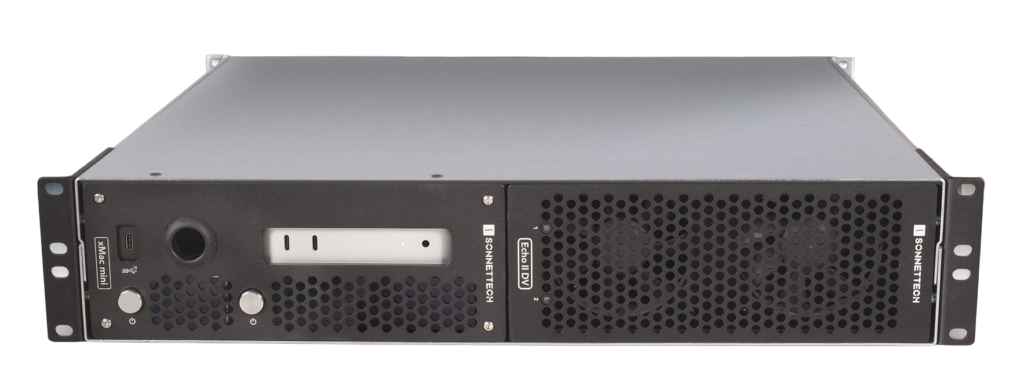
The mimoRack™ is a 19″ 2 HU rack mountable system for using mimoLive as a graphics playout system to integrate with an SDI workflow using SDI key/fill output to a hardware production mixer.
Use-cases
- Playout graphics
- Standard broadcast graphics such as lower thirds, titles, stingers
- Sport graphics, including team roster, scoring, timing, standings… (See Sports Graphics Package for more details)
- Weather forecast
- Stock charts, graphs and other business graphics
- Zoom ISO – Join a Zoom Meeting and get individual particpants audio and video using the new Zoom Source.
- Ultimatte to NDI – connect a Blackmagic Ultimatte for perfect chromakeying and output it as an NDI stream with alpha channel using the mimoLive Key & Fill source.
Components
The mimoRack consist of 3 off-the-shelves components and a mimoLive License:
- (1) Apple Mac Mini M4 or Mac Mini M4 Pro (Bigger is better, 16 GB RAM is enough, go for more cores before you go for more memory)
- (2) Blackmagic DeckLink Duo 2 (4 HD SDI in/out)
- (3) Sonnettech xMac mini (2024+) (B&H)
- mimoLive Studio License
Variations
Using other DeckLink cards give you slightly different uses for the mimoRack:
- Blackmagic DeckLink Quad 2 (8 HD SDI in/out)
- Blackmagic DeckLink 8K Pro (4 x 4K SDI in/out or 1 x 4K Key/Fill in/out)
Assembling the mimoRack™
The Sonnettech xMac mini enclosure comes with a great User’s Guide explaining how to properly install the Mac Mini and the DeckLink cards.
Next Steps
- Setting up mimoRack™
- Getting started with mimoRack™