
🎁 Get 6 months of mimoLive for your Mac free with the purchase of selected BirdDog camera bundles. More Info…

🎁 Get 6 months of mimoLive for your Mac free with the purchase of selected BirdDog camera bundles. More Info…

Corporate and In-House Media: What do you want to do today?

Businesses producing internal and customer facing video without booking a crew, a studio and an edit suite for every single request.
Product demos

Create a lot of content efficiently with live to tape production, without the hassle of post production.

Training videos

Produce high quality explainer videos and onboarding content without external production crews.

In-house TV and digital signage

Run internal information channels for employees or visitors.

Internal communications and town halls

Stream company wide updates or executive announcements.

Product launches and customer webinars

Host online product unveilings or customer education sessions.

Why mimoLive works in house.

Live to tape production

Build the show as it happens. Titles, b-roll, screen shares and cuts are all placed live, and the recording is finished the moment you stop.

The edit backlog disappears, so the team can publish weekly instead of quarterly.
Chroma keying and virtual sets

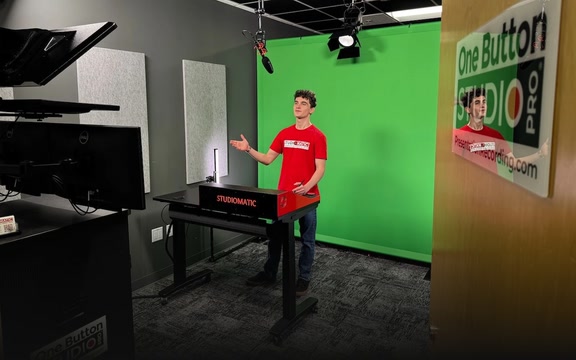
A corner of an office with a green backdrop becomes a branded set, with the presenter composited into a virtual environment in real time.

A studio look without a studio build, in a room the company already pays rent for.
Reusable show documents

A mimoLive document holds the whole setup: sources, graphics, brand colours, lower thirds and output destinations. Save it once and open it for the next episode.

Every department produces the same recognisable look without a designer in the room.
Virtual camera

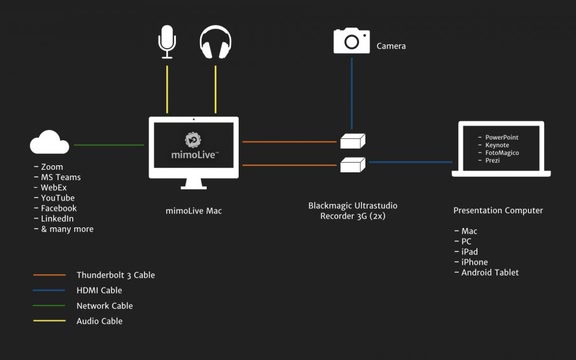
The finished production appears as a webcam in Teams, Zoom or Google Meet, so a town hall in the approved corporate tool carries real graphics and several cameras.

Executives look prepared, rather than lit by a laptop screen.
Remote control surfaces

The person running the town hall gets a browser panel with the handful of buttons that show actually needs, on an iPad, from anywhere in the building.

Communications staff run their own broadcasts without having to become video engineers.
Scheduled playout and signage

A Mac can play a continuous channel of recorded segments, announcements and live cut-ins to screens in reception, the canteen or the factory floor.

Internal screens stay current without somebody loading files every morning.

What Mac do you need?

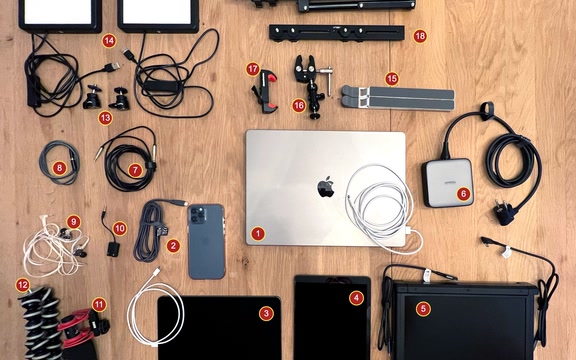
Any current Mac runs mimoLive. What it needs depends on what you ask of it: how many cameras, how heavy the graphics, how many streams and recordings at once. These are real setups you can copy, and what Mac do I need walks through the sizing.

What does it cost?

Every plan has the full feature set. The free one puts a watermark on your output and the paid plans take it off, so you can build the whole show before you decide.

Free No charge The full application, with a watermark
Studio 79,00 €/month or 790,00 € a year
Broadcast 225,00 €/month or 2.250,00 € a year

Compare the plans

Real stories. From real teams.

Mentimeter mimoLive

Using Mentimeter with mimoLive

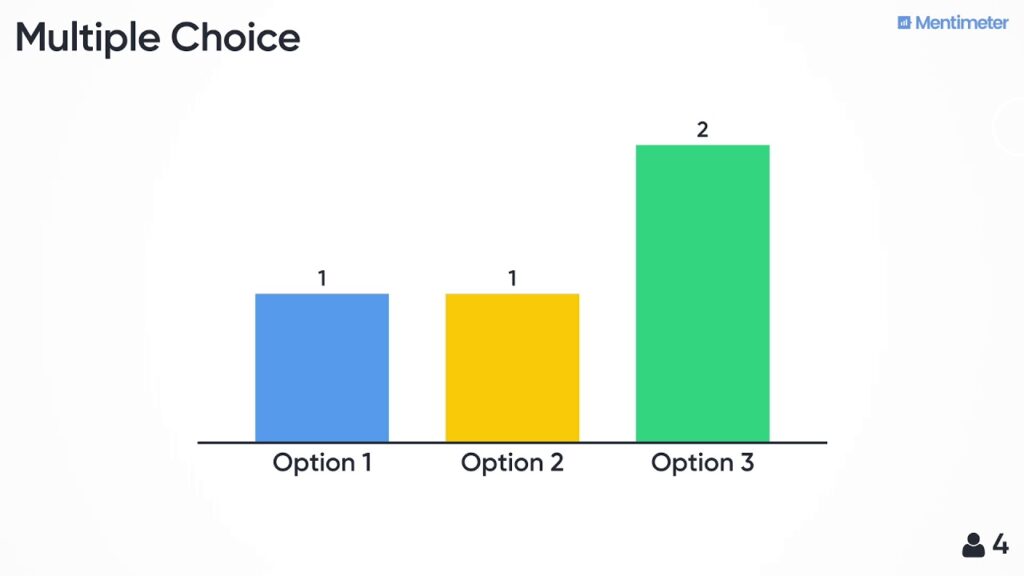
Elevate your broadcasting and video streaming with mimoLive, as shown by @wibbly. Integrate interactive Mentimeter elements like polls and Q&A for engaging streams. Capture real-time results with Browser Capture in mimoLive, and use the iOS Device source for iPhone screencasts. Enhance your streams with seamless NDI or SDI poll integration.

Read more »

Produce the next one in-house Free, on your own Mac.

mimoLive is free to download and test on any Mac with macOS 13 or newer. Take the next town hall or product demo, build it once, and keep the document for every one after that.

mimoLive
Download
Grab the latest version for MacOS and dive right in.
Enter License Icon
Get a Free License
Request your Evaluation Edition license and unlock all features
Watch tutorial
Watch the Getting Started Tutorial
Follow our quickstart video to launch your first production.
Join mimoLive Experts on Discord
Join the mimoLive Experts Community
Connect with peers, ask questions, and improve your workflow on Discord.