🎁 Get 6 months of mimoLive for your Mac free with the purchase of selected BirdDog camera bundles. More Info…

🎁 Get 6 months of mimoLive for your Mac free with the purchase of selected BirdDog camera bundles. More Info…

Event Producers and AV Professionals: What do you want to do today?

Production companies and AV teams delivering professional live or hybrid events, with less gear on the truck and fewer things that can fail on site.
Event streaming and recording

Broadcast live events to online audiences while recording for on demand use.

Concerts

Stream performances with multi camera switching and dynamic visuals.

Sports and eSports

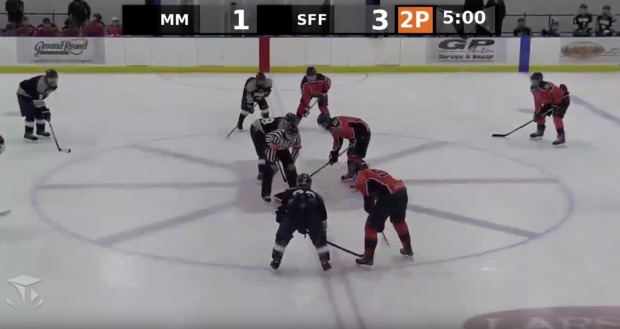
Cover games or tournaments with live commentary, scoreboards and instant replays.

Dance competitions

Help competitors improve by giving them insightful videos featuring the judges’ commentary.

Hybrid events

Combine live and remote speakers for conferences or summits.

IMAG (image magnification)

Show enriched close-ups on large screens for audiences at live venues.

Interviews with remote guests

Bring in speakers or panelists from anywhere in real time.

Corporate conferences and keynotes

Stream professional presentations and executive sessions to global audiences.

Worship services and church streams

Deliver sermons, music and community messages in house and online, to those who cannot join in person.

Why mimoLive holds up on show day.

Many in, many out

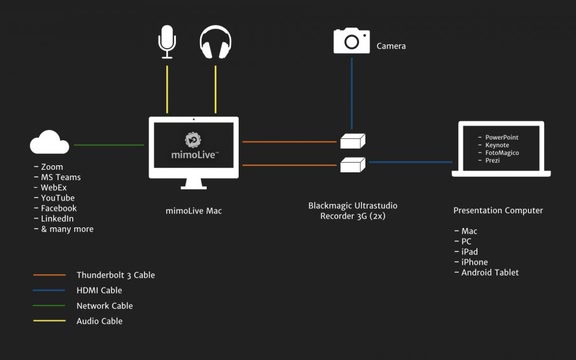
Cameras over SDI and HDMI through Blackmagic hardware, NDI sources over the network, remote guests, playback and graphics all live in one document, and every output destination gets its own mix.

The switcher, character generator, recorder, encoder and multiviewer travel as one Mac instead of a rack.
NDI over the network

Video, control and return feeds run over the Ethernet you are already pulling, and PTZ cameras are steered from inside mimoLive over the same cable.

Faster rigs, far less copper, and the control position can sit wherever the venue lets you put it.
Simultaneous outputs

Stream to several platforms at once and record isolated feeds at the same time, each destination with its own resolution and bitrate.

The client gets the live show and the edit masters from one machine, without a second encoder in the case.
Placer and split screen layers

Build the layout the room’s LED wall needs, while a separate output carries a different layout made for the stream.

The house screens and the online audience each get a picture designed for them, run by one operator.
Remote control surfaces

Hand a volunteer or the client a browser panel with four buttons while you keep the full interface. Panels run on any device, on site or from another city.

Small crews cover big shows, and the person pressing the button cannot break the show.
mimoCall and Zoom integration

Remote speakers arrive as proper video sources rather than a laptop full of browser windows, and mimoLive can read a guest’s name straight from the Zoom source.

Hybrid panels look the same on screen as the people sitting in the room.
Instant replay

The Instant Replay layer keeps a rolling buffer of any source and plays it back at the speed you choose while the show continues.

Competition and sports coverage gets replays without a dedicated replay operator or a separate box.

What Mac do you need?

Any current Mac runs mimoLive. What it needs depends on what you ask of it: how many cameras, how heavy the graphics, how many streams and recordings at once. These are real setups you can copy, and what Mac do I need walks through the sizing.

What does it cost?

Every plan has the full feature set. The free one puts a watermark on your output and the paid plans take it off, so you can build the whole show before you decide.

Free No charge The full application, with a watermark
Studio 79,00 €/month or 790,00 € a year
Broadcast 225,00 €/month or 2.250,00 € a year

Compare the plans

Real stories. From real productions.

Before the next show Test it on your own rig.

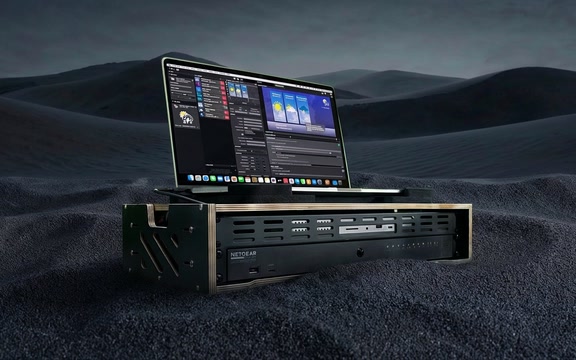
mimoLive is free to download and run on any Mac with macOS 13 or newer. Build the show document for your next job, run it against real cameras and see what the machine has left in reserve. What Mac do I need covers sizing, and NDI-in-a-box is the self contained NDI network we take on site.

mimoLive
Download
Grab the latest version for MacOS and dive right in.
Enter License Icon
Get a Free License
Request your Evaluation Edition license and unlock all features
Watch tutorial
Watch the Getting Started Tutorial
Follow our quickstart video to launch your first production.
Join mimoLive Experts on Discord
Join the mimoLive Experts Community
Connect with peers, ask questions, and improve your workflow on Discord.